At a summit, the stage and the seating do most of the work. If people cannot see the speaker, read the slides or hear the panel, the best agenda in the world falls flat. If the room is set for the wrong format, the networking you planned never happens. These are the decisions that matter, in the order we make them.
- Start from the agenda. Keynotes, panels, workshops and networking each want a different set-up.
- Size the stage and screens to the room, and raise the stage enough for the back rows to see.
- Light the stage for camera, even if you are not livestreaming. Photos and video outlast the event.
- Pick a seating layout for how people will spend most of the day, then plan changeovers.
Start with the agenda
Before anyone sketches a stage, list every session and its format. A typical one-day summit might have an opening keynote, two panels, a fireside chat, breakout workshops after lunch and a networking session to close. Each one has different needs.
- Keynotes need one strong focal point, a clear screen and a lectern or open space for a speaker who walks.
- Panels need comfortable seating on stage, a microphone for each panellist and a moderator position that can see everyone.
- Workshops need tables, smaller rooms or divided spaces, and often flip charts or screens per group.
- Networking needs space, standing tables and food service that does not create one long queue.
Once you know how much of the day goes to each, you can decide whether one room can do it all with changeovers, or whether you need breakout rooms. Check what your venue can offer. Our guide to Nairobi conference centres covers what to ask.
Stage set-up that works
Size and height
The stage should be wide enough for your largest panel plus a moderator, and deep enough that people are not sitting on the edge. Height matters more than people think. In a flat room with more than a few rows, a stage that is too low means the back half of the audience sees only heads. Ask your production team to check sightlines from the last row before the stage is built.
Screens and backdrop
There are three common choices:
| Backdrop | Strengths | Limits |
|---|---|---|
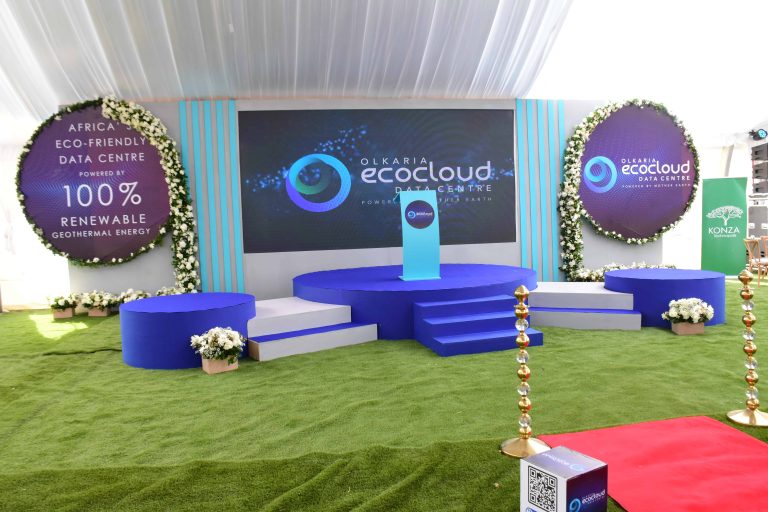
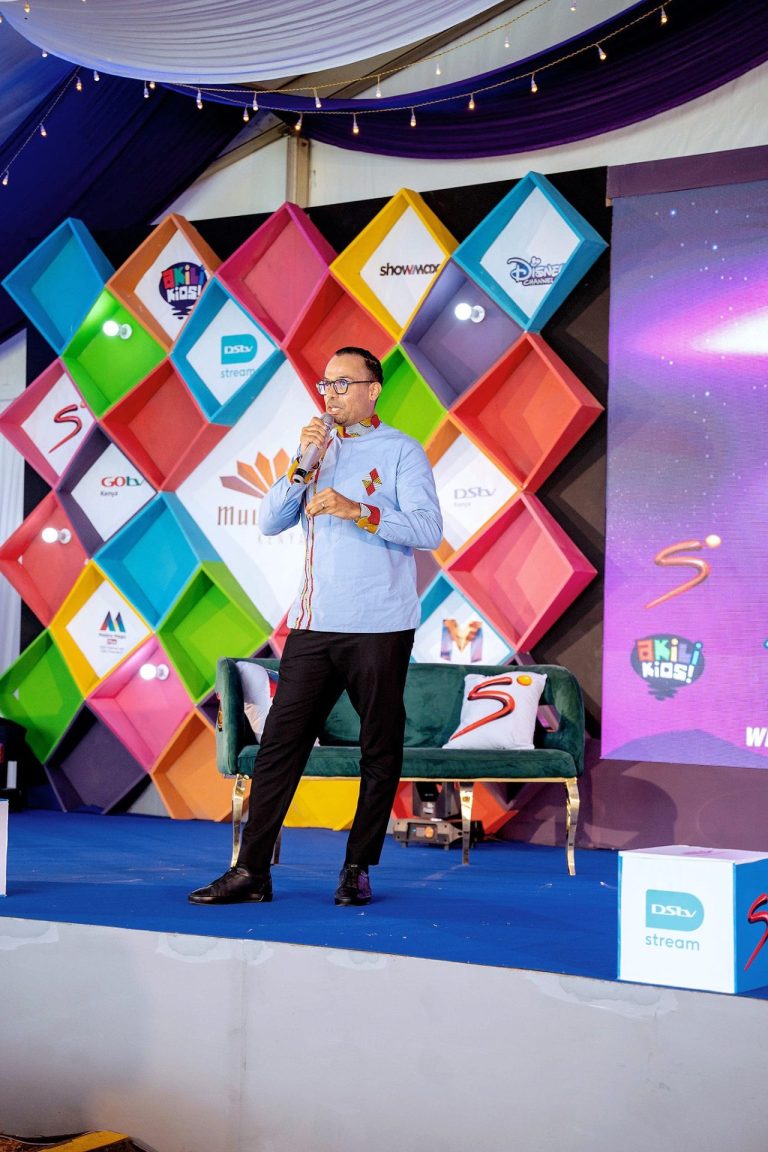
| LED wall | Bright, works in daylight, content can change between sessions, looks sharp on camera | Higher cost; needs a technician and good content design |
| Projection screens with printed backdrop | Lower cost, simple to run, branding always visible | Washes out in bright rooms; fixed branding |
| Printed or built set only, with side screens | Strong brand look, good for photos | Less flexible; side screens must be large enough for the room |
Whatever you choose, design slides and graphics for the screen ratio and the size of the room. Small text and dense charts are the most common reason the back rows stop paying attention.
Sound and lighting
- A microphone for every person on stage, plus two spares and a roving microphone for audience questions.
- Confidence monitors at the front of the stage so speakers can see their slides and timing.
- Front lighting on faces, not only coloured stage wash. Speakers lit only from above look tired in photos.
- Clear audio feed if you are recording or livestreaming, separate from the room mix.
From experience: book a full technical rehearsal the evening before or the morning of, with every presenter’s slides loaded and every video played once. The problems you find then are the ones the audience will not see.
Seating layouts compared
| Layout | Use it for | Trade-offs |
|---|---|---|
| Theatre (rows of chairs) | Keynotes, large audiences, short sessions | No surface for notes or laptops; poor for networking |
| Classroom (rows with tables) | Training, technical sessions, long days with note-taking | Fits fewer people in the same room |
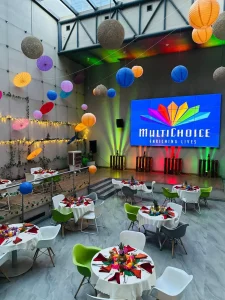
| Cabaret (round tables with open side to stage) | Summits mixing talks and group work, award dinners | Some guests sit sideways; needs more space |
| Boardroom or U-shape | Small leadership sessions, roundtables | Only works for small groups |
| Lounge zones | Fireside chats, informal panels, networking areas | Lower capacity; can feel too casual for formal agendas |
Cabaret is often the best compromise for a full-day summit, because people can listen, write and work in groups without moving. Leave clear aisles, keep the front tables for speakers and VIPs who need quick access to the stage, and reserve accessible seating with a good view, not at the back.
Design trends worth using
Not every trend suits every event, but these are worth considering:
- Lounge-style panels. Low armchairs and a coffee table instead of a long table with tablecloth. Conversations feel more natural, but check that the audience can still see panellists’ faces.
- Wide LED backdrops. Content that changes per session, with speaker names and titles on screen.
- In-the-round or thrust stages. The audience on three or four sides, which brings people closer. Harder to light and to set screens for.
- Hybrid set-ups. A camera position, a streaming desk and a moderator who brings online questions into the room.
- Breakout pods. Smaller areas around the main room for workshops and meetings, so people do not have to leave the venue.
- Reusable sets. Modular stage elements and fabric graphics that can be used again, which cuts waste and cost over a series of events.
What goes wrong
- The stage faces a window. Daylight washes out projection and puts speakers in silhouette. Check the room at the time of your sessions.
- Too many people on stage. A six-person panel with one moderator rarely works. Four is usually plenty.
- No time for changeovers. Moving from theatre to cabaret takes time and staff. Build it into the agenda or use separate rooms.
- Last-minute slides. Set a deadline for presentations and have one person own the show laptop.
- Sound tested in an empty room. A full room absorbs sound. Test again once people arrive.
For the wider planning picture, see our event planning checklist for Kenya and our guide to event management companies in Kenya. If your summit includes an exhibition area, read expo booth design and rules.

Planning a summit or conference?
Send us the agenda, expected numbers and venue. We will propose a stage, screen and seating plan that fits the room and the programme.
Quick answers
What is the best seating layout for a conference?
It depends on the agenda. Theatre suits keynotes and large audiences, classroom suits note-heavy sessions, and cabaret is a good compromise for full-day summits that mix talks and group work.
Do I need an LED wall for a summit stage?
Not always. LED walls are bright and flexible and look good on camera, but projection with a printed backdrop can work well in rooms you can darken, at a lower cost.
How high should a conference stage be?
High enough that people in the back row can see speakers over the heads in front. The right height depends on the room and the number of rows, so check sightlines from the last row.
How many people should be on a panel?
Three or four panellists plus a moderator usually works best. Larger panels leave each person little time and make the conversation hard to follow.