Red Giant · Guide
Hybrid Events in Kenya: How to Plan and Run One Well
How to plan a hybrid event in Kenya: streaming set-up, internet and power backup, engaging the online audience, budgeting and what goes wrong.
Get a costed plan WhatsApp usor call +254 702 826 207
- 4.7 Google rating
- 14+ years running events in Kenya
- Every line costed — nothing hidden
Starlink · Mastercard · MultiChoice · Safaricom · Kenchic

A hybrid event is two events happening at once: one in a room and one on screens. Most hybrid events that disappoint are really a live event with a camera pointed at the stage. The online audience can tell within five minutes and drifts off to their email.
- Decide early who the online audience is and what they should get. Plan for them, not around them.
- Sound matters more than video. Viewers forgive a soft picture; they leave over bad audio.
- Have a backup for both internet and power. In Kenya, assume you will need them.
- Give the online audience their own host or moderator, and shorter sessions.
When a hybrid event makes sense
Hybrid adds cost and complexity, so it should earn its place. It usually does when:
- Your audience is spread out: regional staff, county teams, partners in other countries.
- Some people must attend but cannot travel, such as shareholders at an AGM or board members abroad.
- You want the content to reach more people than the room holds, for a launch or a public talk.
- You need a recording that will be used again for training or marketing.
It makes less sense for events whose value is the room itself: a party, a networking evening, a team building day. A short live stream of the speeches may be enough there.
The technical set-up
Internet
Never rely on the venue’s guest Wi-Fi. Ask for a dedicated wired connection for the stream, test its upload speed at the same time of day as your event, and bring a backup from a different provider. Mobile data bonding units, which combine several SIM cards into one connection, are a common fallback. The test needs to happen on site, not over the phone.
Power
Ask the venue whether its generator switches over automatically and how long the gap is. Even a few seconds can drop a stream and restart cameras. Put the streaming equipment on a UPS so it survives the switch.
Sound
Every voice that the online audience needs to hear must go through a microphone, including audience questions. Budget for a separate audio mix for the stream. What sounds fine in the room often sounds thin or echoey online.
Cameras and screens
One fixed camera on the stage is the minimum. Two or three, with someone switching between them, make it watchable. Slides should go to the stream directly from the presentation computer, not filmed off a screen. In the room, a screen showing remote speakers and online questions helps both audiences feel they are in the same event.
Platform
Choose based on the audience. Internal staff are often already on a corporate video tool. Public events may need a streaming page with registration. Ask how people will log in, whether they need to download anything, and whether the stream works on a phone with a weak signal, because many of your viewers will be watching that way.
From experience: run a full technical rehearsal the day before, with someone outside the venue logging in on a phone over mobile data. That single test catches most of what would have gone wrong.
Keeping the online audience
- Give them a host. Someone who welcomes them, explains breaks, reads their questions out, and talks to them between sessions.
- Shorten everything. A 45-minute talk that works in a room is long on a laptop. Aim for sessions of 20 to 30 minutes with clear breaks.
- Use polls and Q&A. Put at least one online question to every speaker, and say the person’s name and location on air.
- Do not stream dead time. During breaks, show a holding slide, a short video or a behind-the-scenes interview, not an empty stage.
- Send material in advance. An agenda, links and any documents, so they can follow along.
- Follow up. Share the recording and slides within a day or two, while the event is fresh.
The same principles of opening well apply online. Our guide to icebreakers for planning sessions includes several that work with polls and online whiteboards.
What to budget for
Costs vary widely with scale, so we will not quote figures. These are the lines to make sure appear in any quote.
| Budget line | What it covers | Question to ask |
|---|---|---|
| Connectivity | Dedicated line, backup connection, on-site testing | Who tests it, and when? |
| Cameras and crew | Cameras, operators, vision mixing | How many cameras, and who switches between them? |
| Audio | Microphones, room mix, separate stream mix | Is there a dedicated sound engineer for the stream? |
| Platform | Licence, registration page, moderation tools | What are the viewer limits? |
| Power backup | Generator, UPS for streaming gear | What happens during a power switch? |
| Online host | A presenter for the remote audience | Is it a separate person from the room MC? |
| Recording and editing | Full recording and a short highlight edit | How soon after the event is it delivered? |
What goes wrong, and how to avoid it
- Audience questions are inaudible online. Use handheld roaming microphones and repeat each question.
- Slides are unreadable. Send them direct to the stream, and design them with large text.
- The stream drops. Have the backup connection already running and a holding slide ready.
- Remote speakers freeze. Ask them to pre-record as a fallback, and test their connection the day before.
- Nobody owns the online side. Appoint one person as the producer for the stream, with authority to call changes.
- Data handling is an afterthought. If you collect registrations, recordings or photos of attendees, check your obligations under the Data Protection Act 2019 and tell people how their data will be used.
A hybrid event also needs a plan for when things go badly, not just slightly wrong. Our guide to crisis management in event planning covers that. For the room itself, see our notes on conference venues in Nairobi.


Planning a hybrid event or AGM?
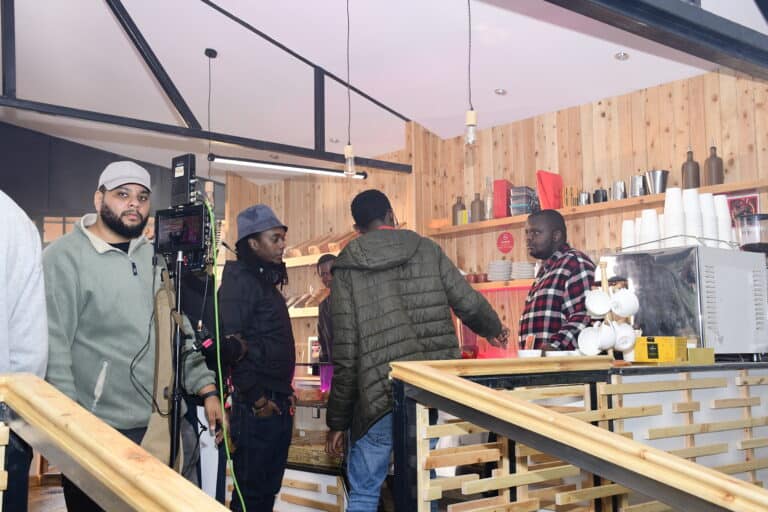
We handle the room, the stream and the production crew together, so one team owns both audiences. Send us your date, audience size and venue.
Quick answers
What internet speed do I need to stream an event?
It depends on the stream quality and platform, so ask your streaming provider for their requirement and test the actual upload speed on site at the same time of day as the event. Always have a backup connection from a different provider.
Is a hybrid event cheaper than a fully in-person one?
Not usually. You still pay for the venue and add streaming, crew and platform costs. It can save on travel and accommodation if many attendees would otherwise fly or drive in.
How do we keep online attendees engaged?
Give them a dedicated host, keep sessions to 20 to 30 minutes, take their questions on air by name, use polls, and never stream an empty stage during breaks.
Can we run an AGM as a hybrid event in Kenya?
Companies have held virtual and hybrid AGMs, but the rules depend on your articles of association and any regulator that applies to you. Confirm the requirements with your company secretary before planning the format.